For indie iOS developers
Your apps, overnight. One calm glance.
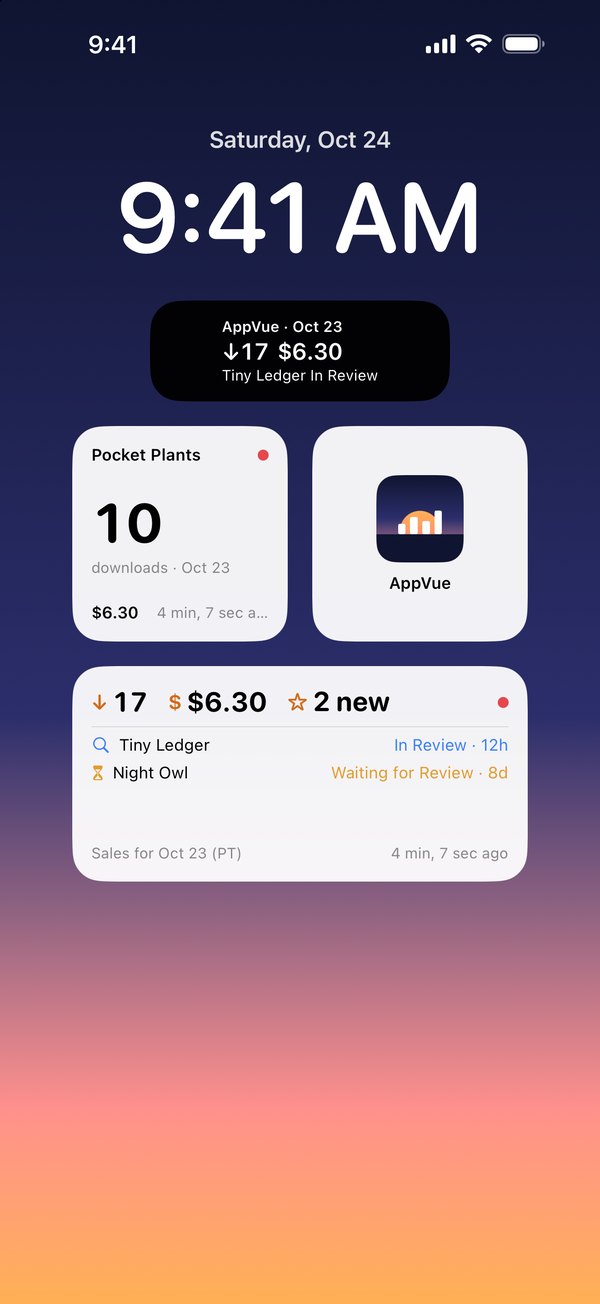
Downloads, proceeds, new reviews and review status for every app you ship, on your iPhone and your Home Screen. AppVue reads App Store Connect with your own API key and talks only to Apple.
Coming soon for iPhone No account No AppVue server
How it works
A few minutes of setup. Every morning after.
No sign-up, no password to share. AppVue uses an API key you create and can revoke anytime.
-
Make an API key
In App Store Connect, open Users and Access › Integrations and create a Team key named “AppVue.” Download the .p8 file. Apple allows that only once.Admin is simplest. A key with fewer roles works too.
-
Connect it
Import the .p8 from Files or paste it, and add your vendor number for sales. AppVue checks exactly what your key can see and tells you.
-
Glance
Open Today, or just look at your widget. AppVue checks in the background when iOS allows and lets you know when something changes.
A closer look
Everything you check, without the checking.
Shown here with made-up sample apps. Try them yourself in the app before you connect a key.
-
Sales
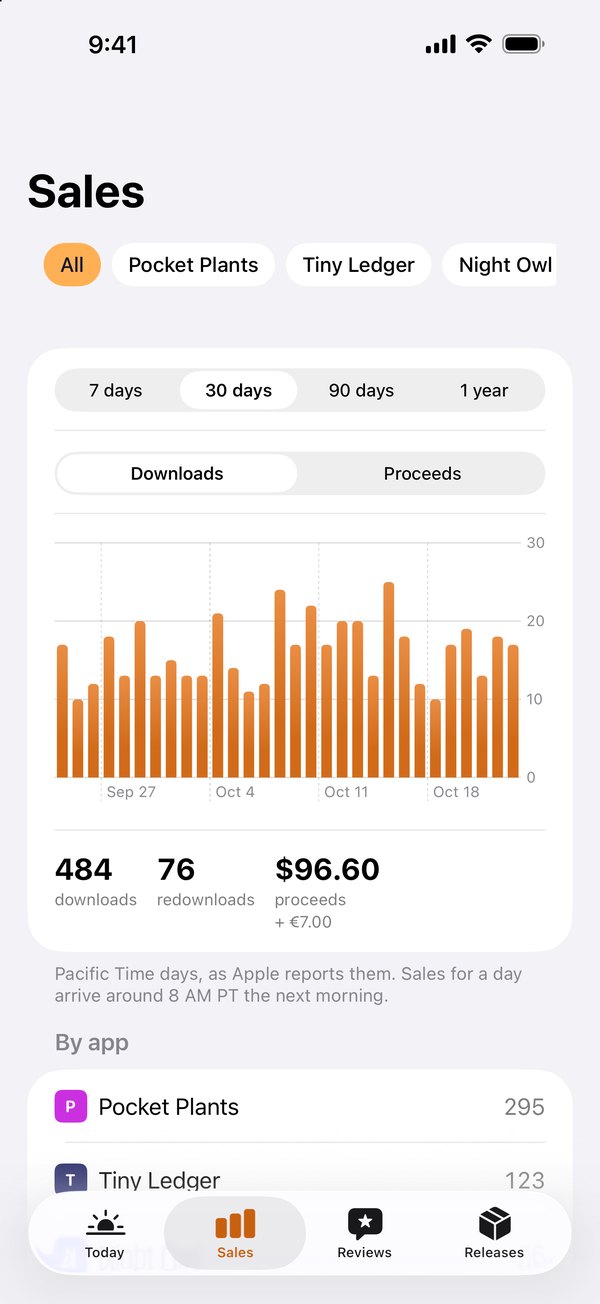
Downloads and proceeds by day, by app and by country. Missing days say so, never zero.
-
Reviews
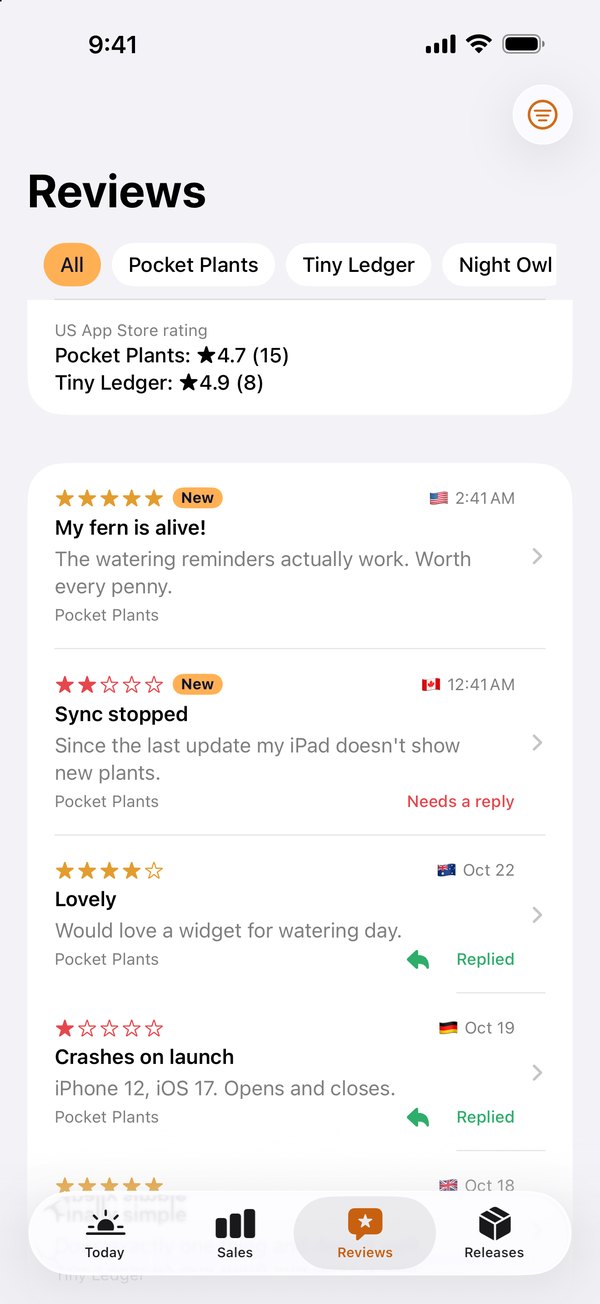
New reviews from every storefront, the ones that need a reply, and your US rating.
-
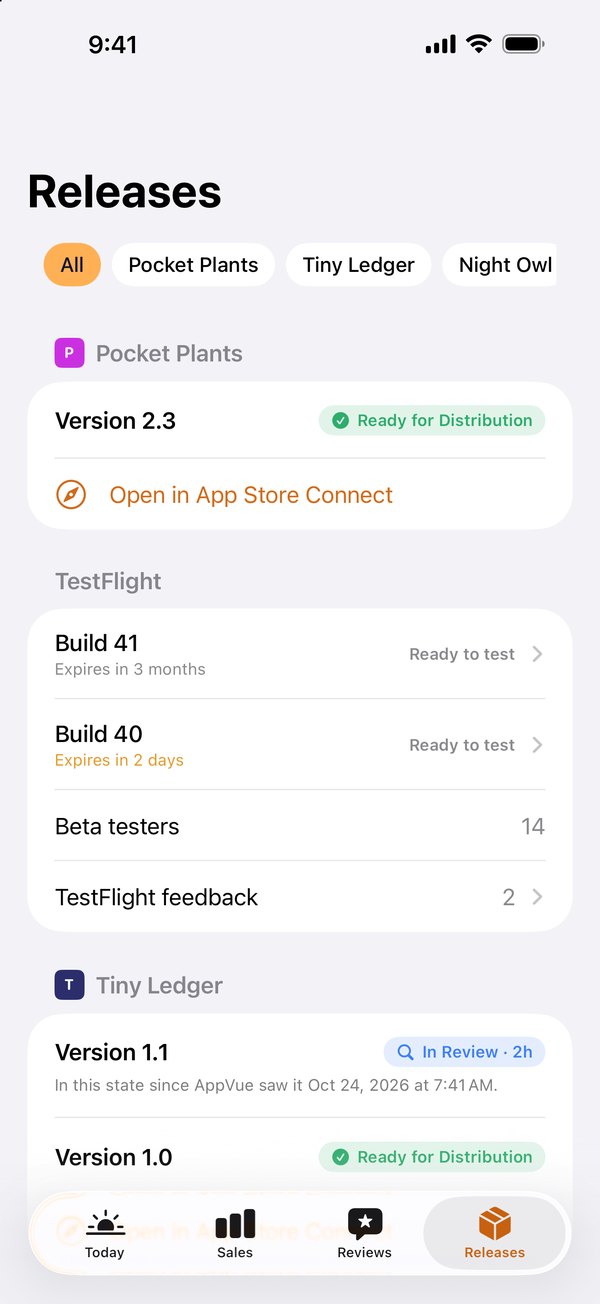
Releases
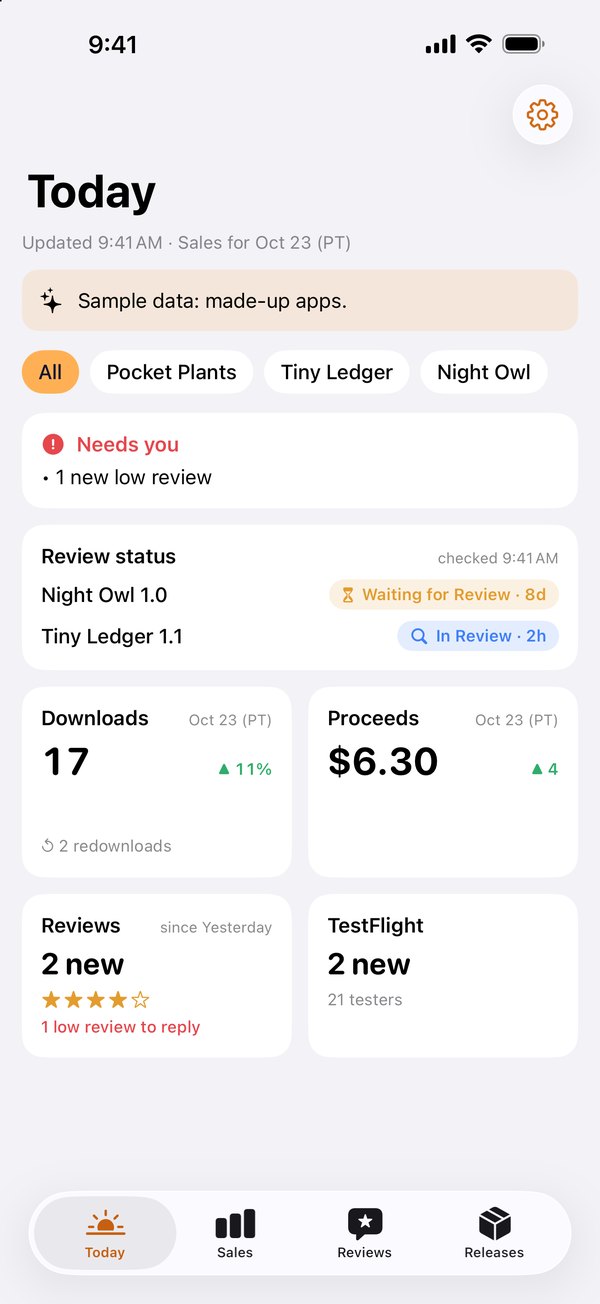
Review status with time in state, TestFlight builds with expiry dates, testers and feedback.
Features
The numbers you refresh, refreshed for you.
Built for developers who ship a few apps and would rather not live in App Store Connect.
-
Today, at a glance
Downloads, proceeds, review status, new reviews and TestFlight on one screen, under a plain “All quiet” or “Needs you” line.
-
Sales, day by day
7, 30 or 90 days or a whole year, by app, country and type. Proceeds in your home currency, with other currencies shown alongside.
-
Review status alerts
Know when a version goes In Review, is Ready for Distribution or gets Rejected, and how long it has been waiting. Free, always.
-
Reviews and repliesPRO
New reviews from every storefront and an alert for low ones. Reply from your iPhone, with drafts saved as you type.
-
TestFlight, covered
Builds with processing alerts and expiry dates, tester counts, and feedback with screenshots and crash logs (Pro).
-
Home and Lock Screen widgets
Glance without opening the app. The small widget is free; medium, large and Lock Screen widgets come with Pro.
-
Alerts on your terms
Choose alerts by type, set quiet hours, and with Pro get every new review, your first sale, TestFlight feedback and a morning digest.
-
Missing is never zero
If Apple hasn’t posted a report yet, or your key can’t read something, AppVue says so instead of showing a misleading 0.
-
Face ID lock
Turn on an optional Face ID lock. Either way, your numbers are hidden in the app switcher.
A morning summary, not a pager. AppVue checks in the background when iOS allows, often a few times a day. Alerts can arrive minutes to hours after a change. For instant notifications, Apple’s own App Store Connect app is the real-time option.
Privacy
Your key never leaves your iPhone.
AppVue has no account and no server. It reads App Store Connect straight from your phone, with your own key, so your numbers never pass through us.
Data Not CollectedThat’s our App Store privacy label. Your sales, reviews and key never reach us.
-
In your iPhone’s Keychain
Your API key stays in the Keychain on that one iPhone. Never in backups, iCloud, logs or widget data.
-
Straight to Apple
AppVue talks only to Apple: the App Store Connect API with your key, and Apple’s public lookup for ratings and app icons.
-
Cached on your phone
Numbers and reviews are kept in a cache AppVue can rebuild in one refresh, left out of backups and never synced.
- No account
- No server
- No analytics
- No ads
- No tracking
Pricing
Free for one app. Pro for all of them.
The free version follows one app with 30 days of sales and the alerts that matter most. Pro adds every app, a year of history, review replies and all the widgets.
| Feature | Free$0Always free | Pro$29.99a year, or monthly, or once |
|---|---|---|
| Apps you follow | 1 | Every app, plus All apps |
| Sales history | 30 days | 1 year |
| Today, sales, reviews and review status | Included | Included |
| Review-status, build and low-review alerts | Included | Included |
| Reply to reviews | Not included | Included |
| TestFlight feedback | Count | Screenshots and crash logs |
| Widgets | Small | Small, medium, large and Lock Screen |
| Every-review, first-sale, TestFlight and morning-digest alerts | Not included | Included |
| Alert settings per app | Not included | Included |
| Face ID lock | Included | Included |
- Annual$29.99a year · best value
- Monthly$5.99a month
- Lifetime$99.99once, yours to keep
- Family Sharing is on.All three plans can be shared with your Family Sharing group.
- Cancel anytime.Subscriptions renew until you cancel in your iPhone’s Settings. Restore Purchases is on AppVue’s Pro screen, under Settings.
- What you need.An iPhone with iOS 17 or later, and a Team API key, which the Account Holder or an Admin can create.
FAQ
Good questions, short answers.
Is my API key safe?
It’s stored in your iPhone’s Keychain on that device only, never in backups or iCloud, and it’s used only to talk to Apple. Name it “AppVue” so you can revoke just this key in App Store Connect anytime.
Can you see my sales or reviews?
No. There’s no AppVue server or account. Your numbers go from Apple straight to your iPhone.
Which role does the key need?
Admin is simplest. AppVue only reads, and posts a review reply when you tap Send. For a tighter key, use Sales and Reports for sales, Customer Support for reviews and replies, and Developer for review status, builds and TestFlight. Individual keys can’t read sales.
Why are the newest sales from yesterday?
Apple posts each day’s sales report the next morning, usually around 8 AM Pacific. AppVue shows the latest finished day and labels which day it is.
Is AppVue made by Apple?
No. AppVue is an independent app that uses Apple’s official App Store Connect API.
Start every morning already knowing.
AppVue is coming soon to the App Store for iPhone. Send us a quick email and we’ll let you know when it launches.
Get notified at launchiPhone with iOS 17 or later No account No AppVue server